Automations
Stop chasing people. Let your event do it.
Payment reminders, welcome mails, team alerts and screen changes run by themselves, at exactly the right moment.
Hand it over. Keep the control.
Nobody gets chased twice
Set a goal like “has paid”. The moment it is true, that person leaves the workflow. No reminder lands after the payment.
The right moment, every time
Send three days before the deadline or ten minutes before every session. Move the deadline and the schedule moves with it.
Built by describing it
Tell the AI assistant “Remind everyone who has not paid three days before the deadline”. It builds the draft. You check it and switch it on.
Workflows
See exactly what happens. Step by step.
Build workflows visually and see how many guests have reached each step.
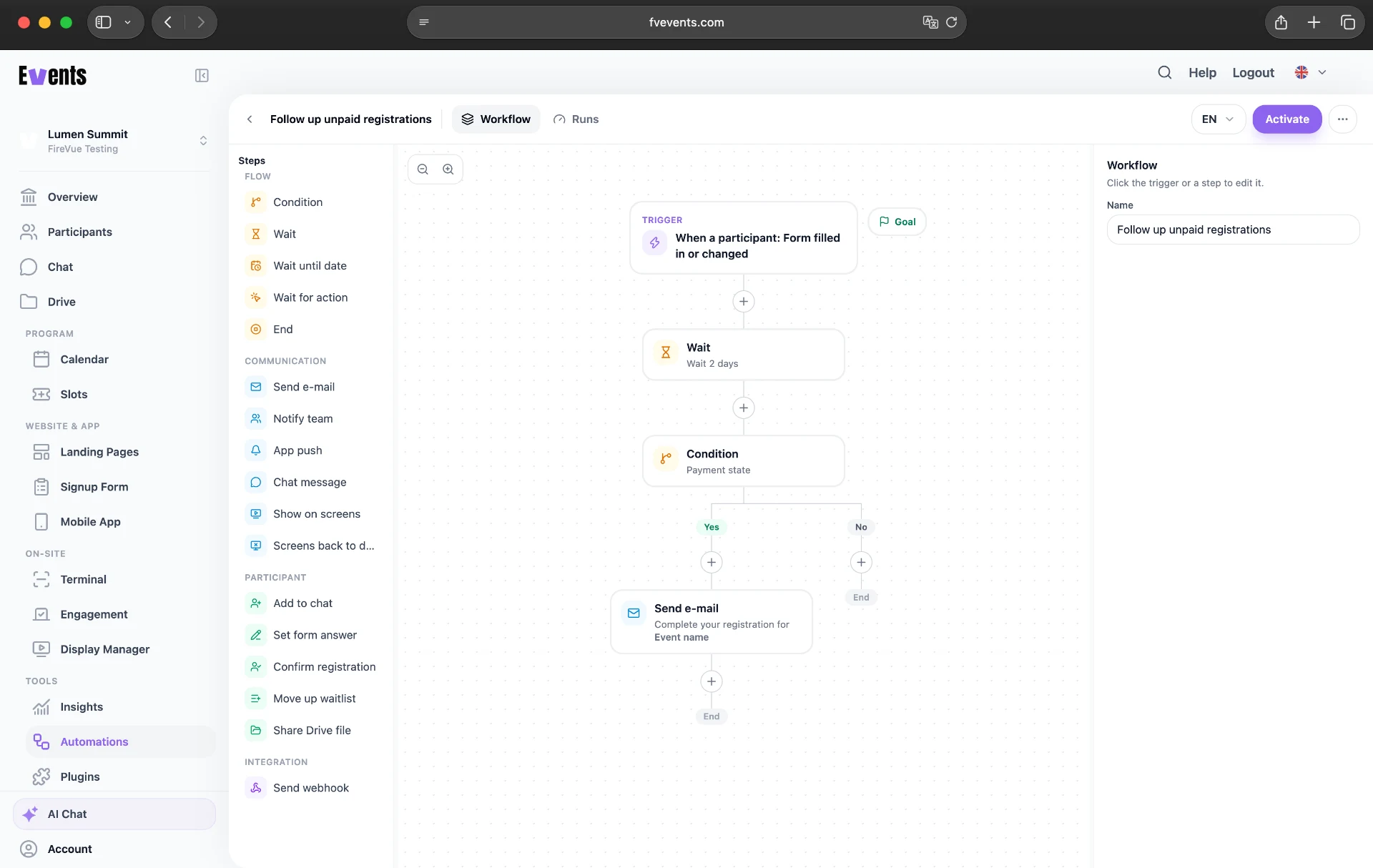
Start from a template or let the AI assistant draft it.
E-mails
Write once. Reach everyone in their language.
Send personal emails in every event language, with automatic translation and direct links to payments or files. Check the result with a preview and test email.
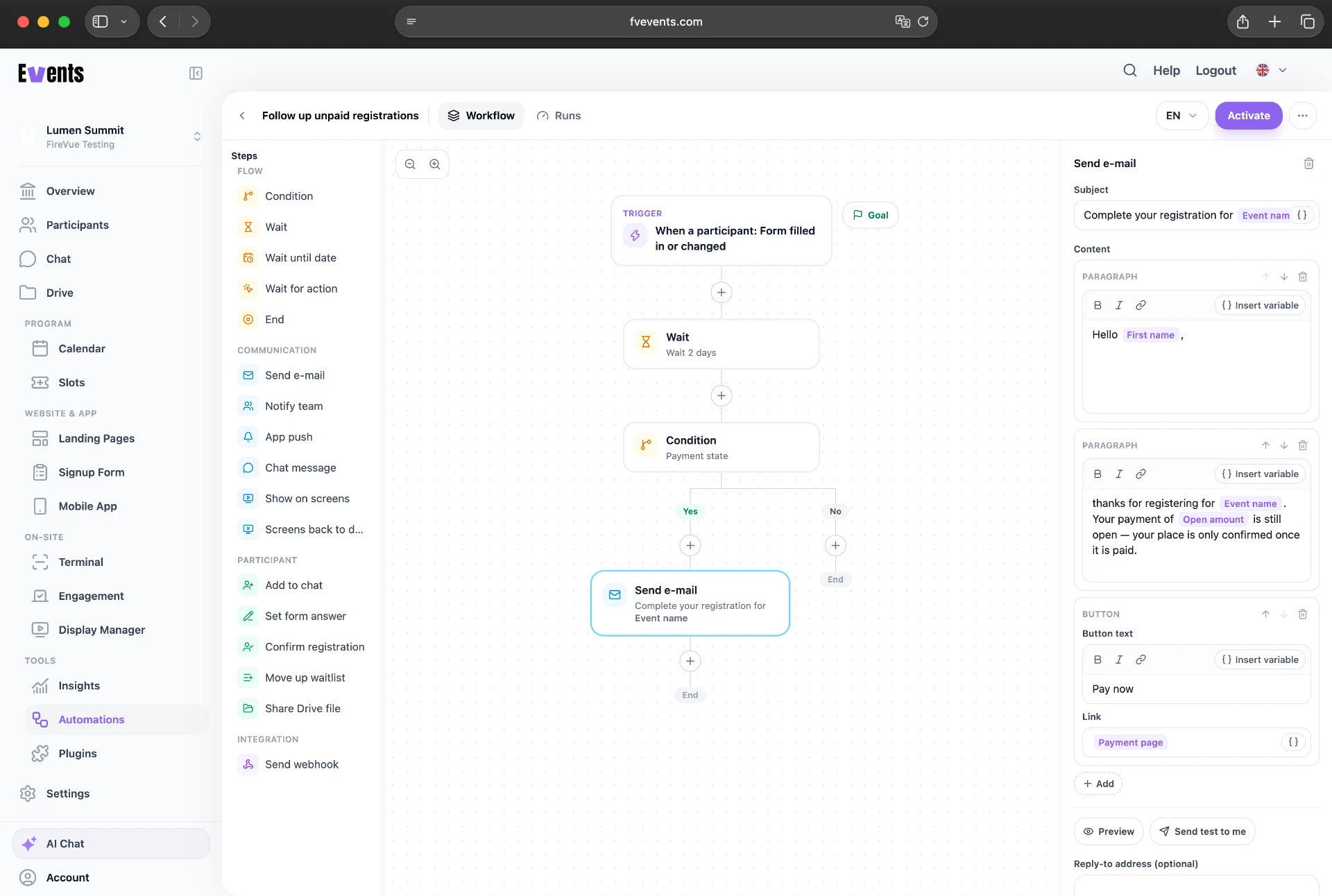
Everything a workflow can do.
- Starts at the right moment
- Start workflows after registration, payment or check-in, at set times or when a target is reached.
- Check before it goes live
- Check which guests you will reach before you start. Keep track of active workflows and errors.
- App push and chat
- Reach guests automatically through push notifications or chat.
- Alerts for your team
- Tell the right team roles by e-mail or chat when something happens, so you don’t have to watch the numbers.
- Switch your screens
- Show the evening slides at 17:00 or a countdown before every session. Your Display Manager screens follow the plan.
- Make, Zapier and n8n
- Connect your workflows to Make, Zapier or n8n and choose which guest data to share.
Show us what you still do by hand.
In a free demo we’ll build your first workflow together.
Request a free demo