Co-editing documents
Drive isn't only for uploads — you can create documents and write them right inside FireVue, together with your team.
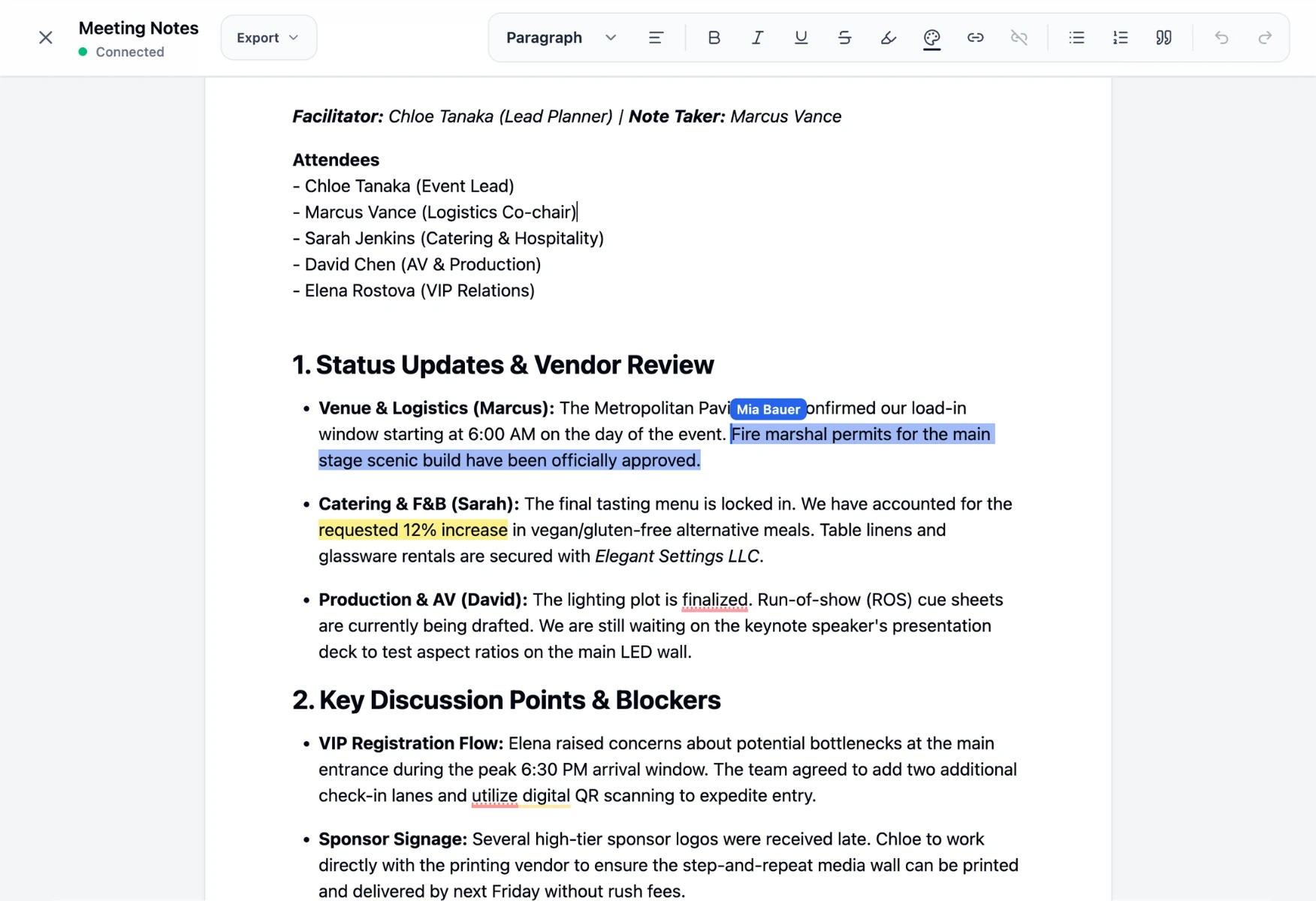
Real-time collaboration
When several people open the same document, everyone edits at once and changes appear live, with each collaborator's cursor shown as they type. No more emailing versions back and forth — there's a single, always-current document.
Writing and formatting
A familiar toolbar gives you rich text — headings, lists, links, and more — so documents look clean and are easy to scan. When you need it elsewhere, you can export the document.
The insert menu (the square-plus button) adds block quotes, tables, and dropdown chips — inline, colour-coded selectors like the ones in Google Docs. Give a chip a set of options (for example To do, In progress, Done), then anyone editing can click it to pick the current value. They're handy for status columns, owner assignments, or any small choice you want to keep consistent across a document.
Tables are editable too: drag a column border to resize it, and hover any cell border to reveal a + that inserts a row or column right there.
Organising with tabs
Longer documents can be split into tabs — think of them as separate pages that live inside one document. Use the tab bar under the toolbar to add a tab, switch between them, or to rename it. It all stays in a single file your team co-edits together, and an export always covers the tab you're currently viewing.
Sharing and access
Documents live in Drive, so they use the same sharing model: grant people a role (viewer, editor, and so on) so the right teammates can read or edit, and share a link when that's simplest.
💡 Tip: Documents are great for run-of-show notes, briefings, and anything your team needs to keep current together in one place.
Was this helpful?