Scanning & manual check-in
There are two ways to mark someone as arrived. Use whichever fits the moment.
Scan a ticket (Terminal)
The fastest path: open the Terminal on a device with a camera and have the attendee hold up their QR code — from their confirmation email or wallet pass. The Terminal reads it and checks them in. This is what powers both staffed scanning and self-service kiosks.
Check in by name (Participants Table)
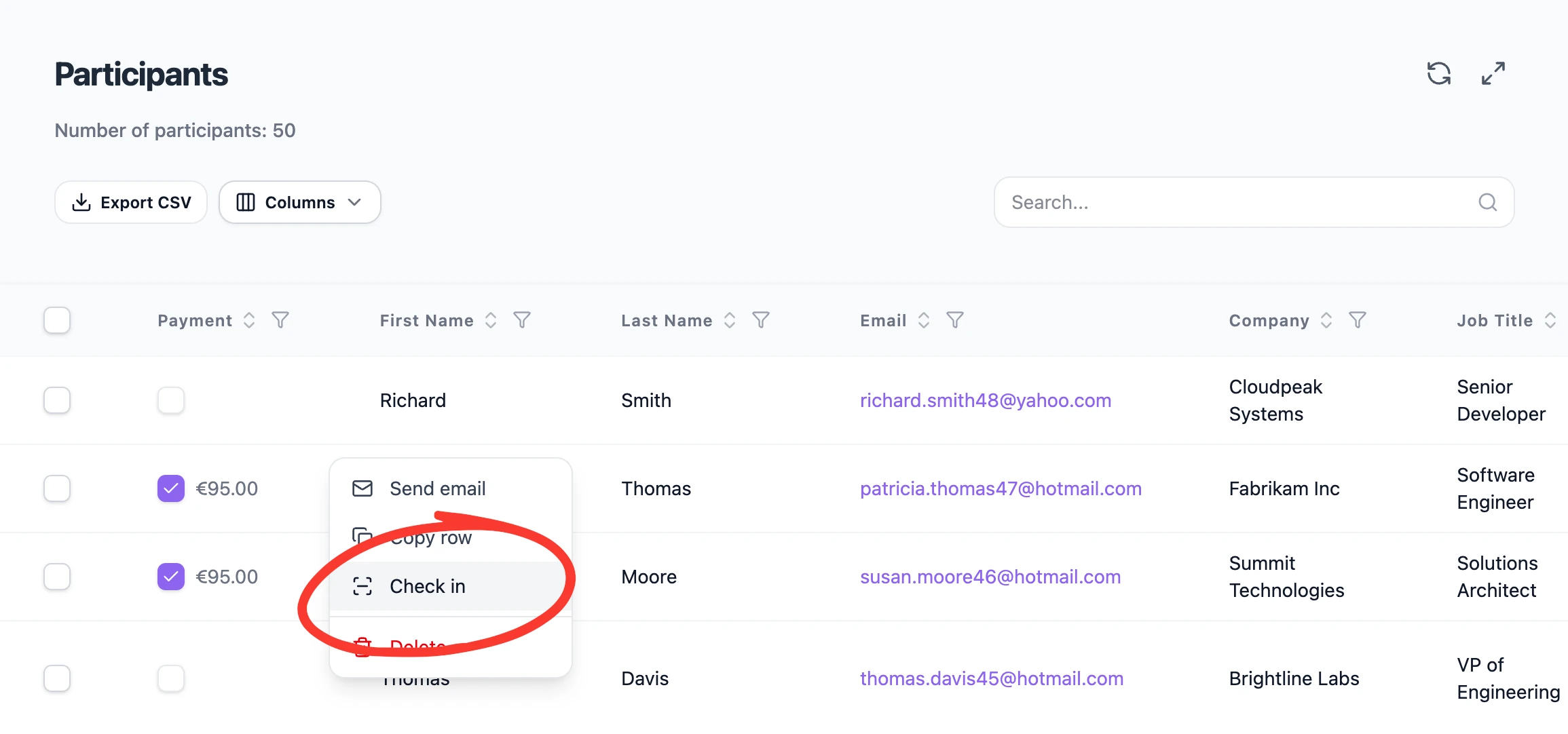
Sometimes there's no code to scan — a flat phone battery, a guest added at the door. From the participants table in your dashboard, search the participant by name and check them in manually.
Simply right click on the user you wish to check in, and select check in from the context menu.
Which to use
- QR scan — your default for speed, and the only option for unattended kiosks.
- Manual by name — your fallback whenever a code isn't available.
💡 Tip: If an attendee still owes a balance, the Terminal can prompt for payment before completing check-in — see Configuring your terminal flow.
Was this helpful?