Layouts: shared headers & footers
A layout is reusable structure that wraps your pages — most commonly a header and footer. Build it once and every page that uses it stays consistent, so you don't recreate your navigation and footer on each page.
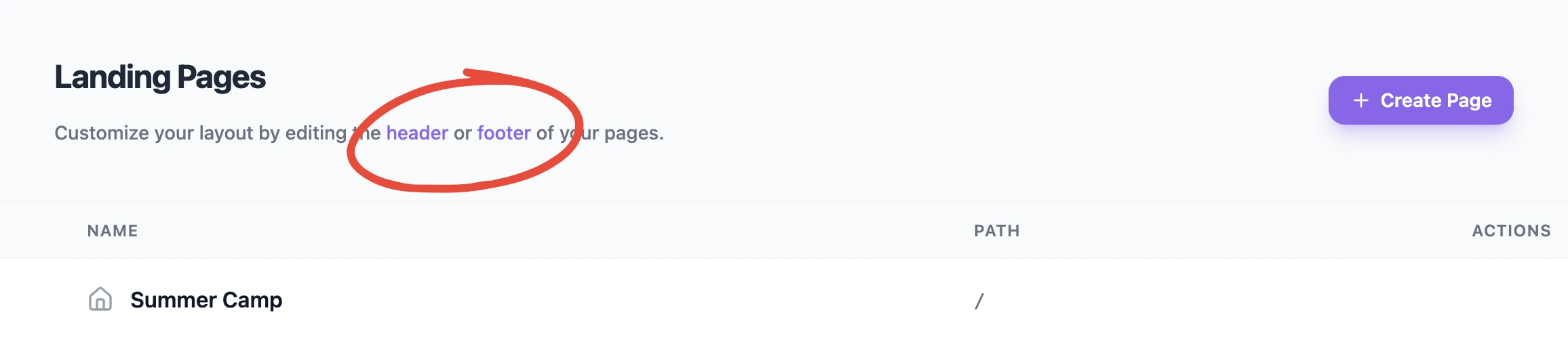
How layouts work
You edit layouts in the same Web Builder you use for pages. A layout (like "header" or "footer") is designed independently, then applied around your page content. Change the layout once and the update appears everywhere it's used.
Organization and event layouts
Layouts come in two scopes:
- Organization layouts — shared structure for your organization-level pages.
- Event layouts — structure specific to an event's pages.
This mirrors how pages themselves are scoped. See Organization vs. event pages.
Why use them
- Consistency — the same header and footer everywhere.
- Speed — update navigation or contact details in one place.
- Clean pages — page content stays focused while the layout handles the surrounding frame.
💡 Tip: Put your main navigation in the header layout so every page links back to the parts that matter.
Was this helpful?