Payment & check-in status
Two columns tell you most of what you need at a glance: where each participant stands on payment and whether they've arrived.
Payment status
The payment column shows each participant's state and amount:
- Free — no payment required.
- Paid — paid in full.
- Pending — payment is awaited or only partly complete.
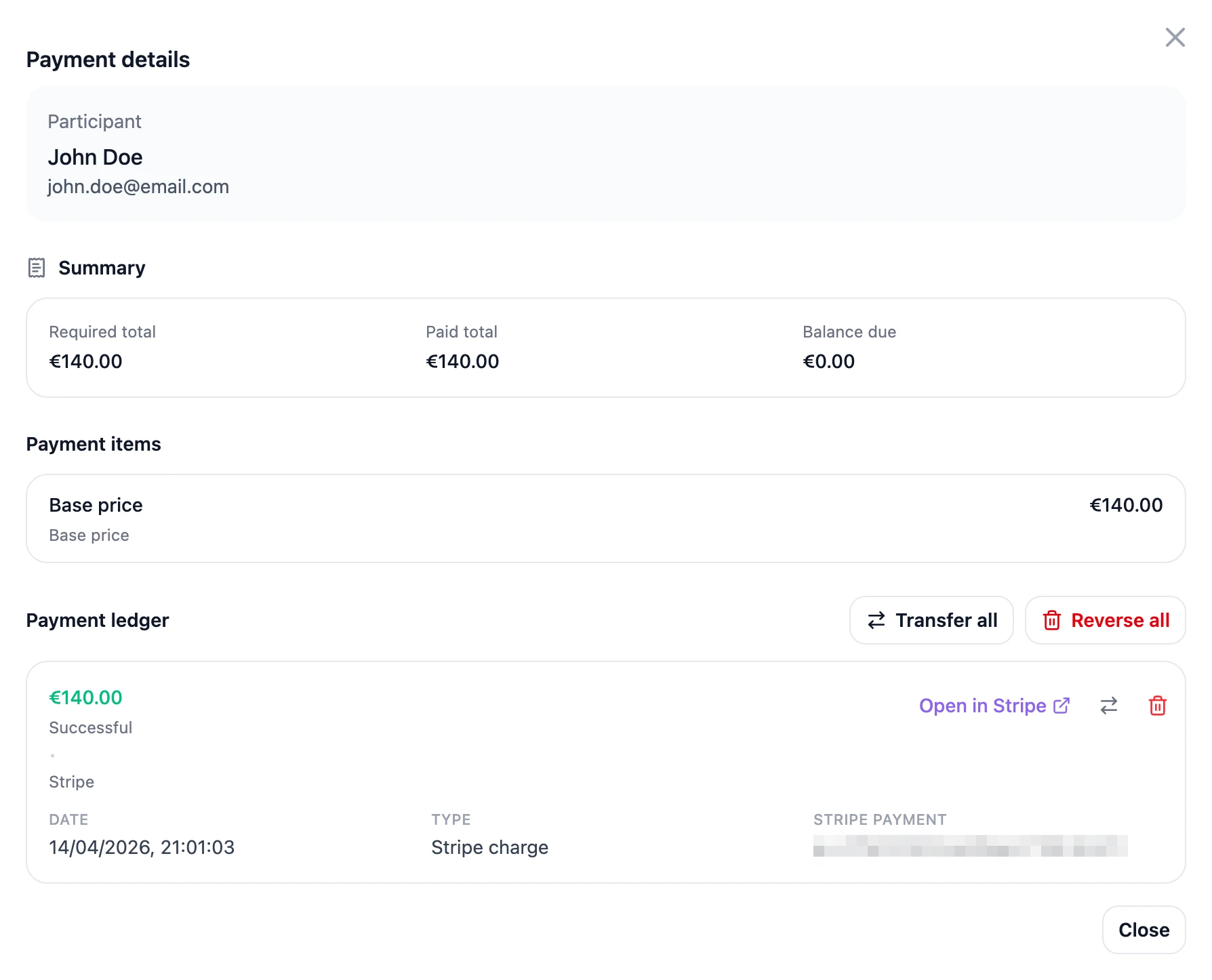
From the payment actions you can:
- Record a manual payment — mark someone as paid when they paid you outside the system (for example, a bank transfer or cash).
- Transfer a payment — move a payment to a different registration when needed. Might be helpful if a person likes to transfer their ticket, due to unavailability. The receiving registration keeps a "Transferred from" record in its ledger — the original payer, the original date and method, and the Stripe reference — so you can still trace where the money came from even if the original registration is later deleted. Chained transfers keep the full history.
- Open in Stripe – use this button to open a specific transaction in Stripe, to verify details or refund it.
- Reverse a payment – use this button when you want to register a refund which has been processed on Stripe or elsewhere.
- View payment ledger — see the breakdown behind the total.
💡 Tip: Sort or filter by either column to answer quick questions — like "who still owes payment?" or "who hasn't arrived yet?"
Was this helpful?