Collecting payments with Stripe
To charge for registrations online, you connect your own Stripe account to the event. Attendees then pay by card during sign-up, and the money goes to you.
Connect your account
Open Settings → Payment Settings, select Stripe Checkout, and choose Connect with Stripe. You'll be taken to Stripe to enter your business and payout details, then returned to FireVue. Your account moves through a short onboarding, and once its status is Connected, you can accept payments. Until then, online payment isn't available for the event.
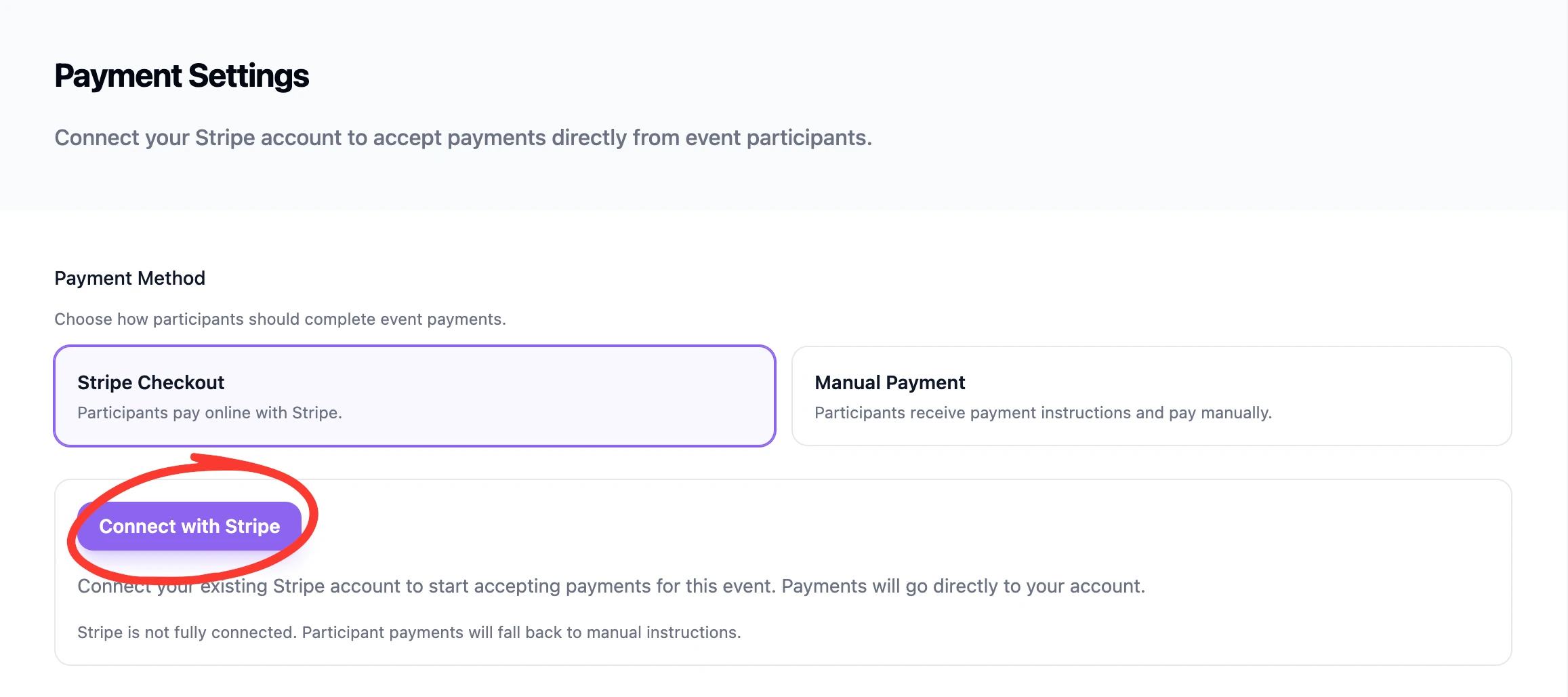
❗️ If you already have a stripe account, be sure to log into your stripe dashboard before you click on connect, so that stripe will automatically know which account to connect to. Otherwise it might ask you to create a new account.
How the money flows
Attendees pay you directly through your connected Stripe account — FireVue never holds your funds. The per-ticket commission is noted automatically as part of each transaction, but will be added to your next invoice not be deducted from the ticket price. Payouts to your bank follow your Stripe schedule.
Refunds
Refunds are handled through Stripe. In the participants table, you can remove the payment from the user afterwards. See Payment & check-in status
No Stripe? Use manual payments
If you'd rather not collect card payments online, choose Manual Payment and add your own Manual Payment Instructions (like a bank transfer) instead. See Free & paid registration.
Heads up: Connect your Stripe account before you open registration for a paid event, so the first attendee can pay without a hitch.
Was this helpful?